


Using as a wired mouse
-
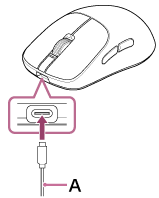
Connect the supplied USB Type-C cable (A) to the USB Type-C port on the mouse.
-
Connect the USB Type-C cable that is connected to the mouse to a USB port on a computer.
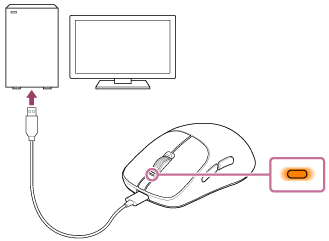
If the mouse is not fully charged, the mouse will begin charging.
The status indicator on the mouse lights up in orange while charging. -
Use the mouse as a wired mouse.