


Resetting the mouse
If the mouse cannot be turned on or cannot be operated even when it is turned on, reset the mouse.
-
Connect the supplied USB Type-C cable (A) to the USB Type-C port on the mouse and the USB port on the computer.
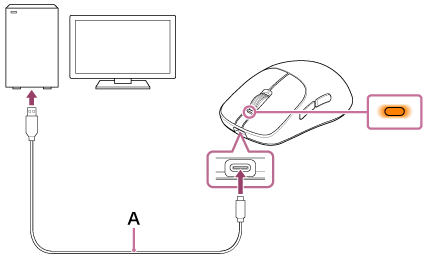
The status indicator on the mouse lights up in orange.
-
Press and hold the power button (B) for about 5 seconds.

The status indicator on the mouse turns off and flashes twice quickly. The mouse then resets.
Note
- Resetting the mouse does not affect the connection to the wireless dongle.
- If the mouse does not operate correctly even after resetting, initialize the mouse to restore factory settings.