


Configuring a Destination Server
Configure an external file transfer destination server. Three types of servers can be configured as the destination server: FTP server, SMB server, and S3 bucket.
-
Select [Settings] > [Connection Manager] tab > [Destination Server] from the global header of the connection manager.
-
Click the [+] (Add destination server) button, enter a name for the server, and click the [Save] button.
-
Select the type of server in [Server Type].
You can select FTP server, SMB server, or S3 bucket. Selecting a server type will display the fields for configuring the connection information.
-
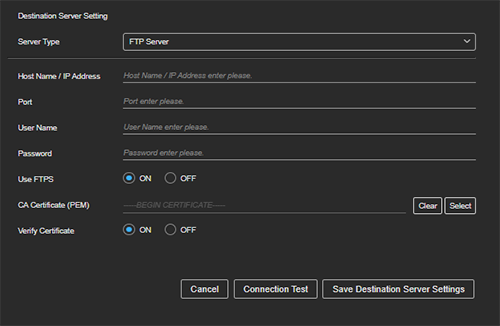
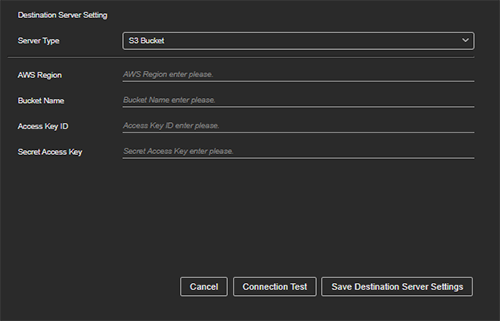
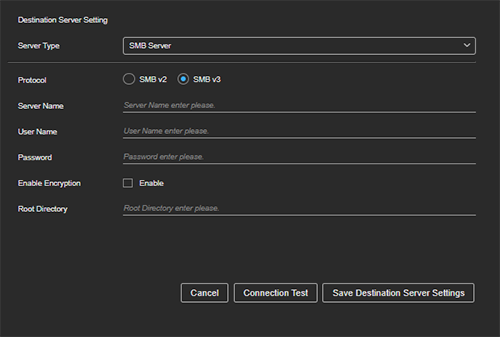
Configure the information for connecting to the destination server.
-
Click the [Connection Test] button to check the connection.
-
After checking the connection, click the [Save Destination Server Settings] button to save the server settings.
FTP server settings
S3 bucket settings
SMB server settings
TP1002494883