


Playback
-
Launch the “Spatial Audio Video Tool” app.
The recording screen appears.
-
Tap the media icon (A) to open the media screen.
 : Media icon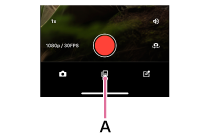
-
Tap the video (B) you want to play.
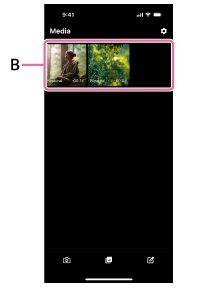
The playback screen for the selected video appears, and the video begins playing.
-
Operate the smartphone to adjust the volume.
To delete a video
Tap the delete icon on the playback screen.
Follow the on-screen instructions to delete the video.
 : Delete icon
Hint
- When the video is recorded with the MODE switch on the microphone set to “SPATIAL,” the recorded audio plays back as Binaural. When the video is recorded with the MODE switch on the microphone set to “STEREO,” the recorded audio plays back in stereo.
- The video can be exported in formats for different purposes by tapping the export icon on the playback screen.
 : Export icon
 - Make sure that if you delete a video currently in use in a project, you will no longer be able to play it from within the project.
Note
- When the microphone is connected, no sound is output from the smartphone’s speaker. To check the audio, either disconnect the microphone or connect headphones to the microphone.
TP1002508810