


Speaking with someone while wearing the headset (Speak-to-Chat)
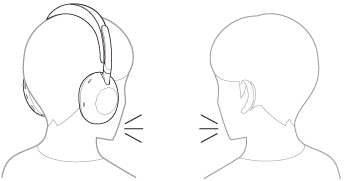
Speak-to-Chat is a feature that makes it easier to hear the voice of your conversation partner while wearing the headset. Set up with the “Sound Connect” app.
While Speak-to-Chat mode is activated, the headset lowers the music volume and captures the voice of the other person through the microphone to make listening easier.
When the headset does not detect the wearer’s voice for a certain period of time, the Speak-to-Chat mode ends automatically.
If you want to end the mode before that, use the headset buttons or touch sensor control panel.
To enable Speak-to-Chat
To activate the Speak-to-Chat mode, Speak-to-Chat must be enabled in advance.
In the factory settings, Speak-to-Chat is disabled. To enable, change the setting with the “Sound Connect” app.
To disable Speak-to-Chat
To disable, change the setting with the “Sound Connect” app.
Hint
- You can also use the “Sound Connect” app to switch between enabled/disabled, change the sensitivity of the automatic audio detection, and change the time until the Speak-to-Chat mode ends. In the factory settings, the time until the mode ends is set to about 15 seconds.
Note
- The Speak-to-Chat mode activates when it detects the speech of the person wearing the headset. In rare cases, the mode may activate unintentionally in response to vibrations caused by actions such as brushing your teeth, coughing, or humming, or by devices such as electric toothbrushes, massagers, or shavers. In cases where Speak-to-Chat frequently activates by accident, set the Speak-to-Chat mode to “L Sensitivity”.
- Due to ambient noise, the speech of the person wearing the headset may not be detected, and the Speak-to-Chat mode may not activate. In this case, try speaking longer or louder. In some cases, the Speak-to-Chat mode may not activate even when speaking longer and with a louder voice in extremely noisy environments such as in an airplane.