


Turning off the headset
-
Press and hold the power button (A) for about 2 seconds or more.
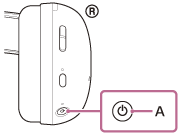
You will hear a notification sound indicating that the headset is turning off.
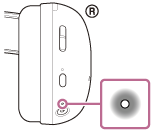
The power indicator lights up in white for about 2 seconds, and then turns off.
Note
- In the factory settings, when the following conditions continue for about 5 minutes, the headset turns off automatically.
- The wireless 2.4 GHz connection and Bluetooth connection are terminated.
- The headset is not in Bluetooth pairing mode.
- The headset is not charging.
- After turning off the headset, the power button does not accept any controls for 3 seconds. To turn the headset back on, wait 3 seconds, then press and hold the power button again for about 2 seconds.