


Listening to music from a device via a Bluetooth connection
If your Bluetooth device supports the following profiles, you can enjoy listening to music and control the device from your headset via a Bluetooth connection.
-
A2DP: Advanced Audio Distribution Profile
You can enjoy high-quality music wirelessly.
-
AVRCP: Audio Video Remote Control Profile
You can adjust the volume and other settings.
The operating procedure may vary depending on the Bluetooth device. Refer to the operating instructions supplied with the Bluetooth device.
-
Connect the headset to a Bluetooth device.
-
Put the headset on your ears.
See “Wearing the headset” for how to put the headset on your ears.
-
Operate the Bluetooth device to start playback and adjust the volume to a moderate level.
-
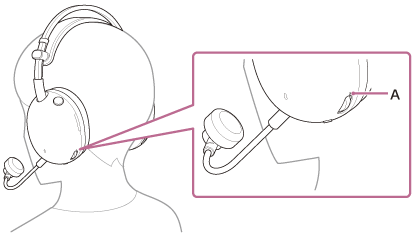
Adjust the volume using the volume dial of the headset.
There is a tactile dot (A) on the + side.
-
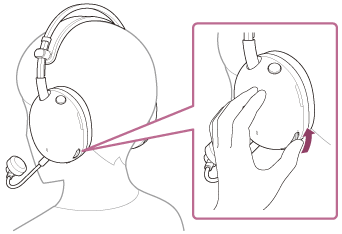
To increase the volume
Turn the volume dial to the + side.
-
To lower the volume
Turn the volume dial to the – side.
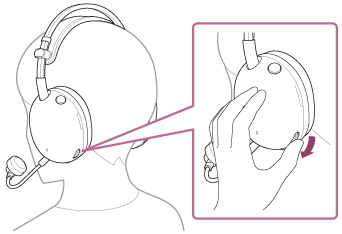
When the volume reaches the maximum or minimum, you will hear a notification sound.
-
Hint
- The headset supports SCMS-T content protection. You can enjoy music and other audio on the headset from a device such as a portable TV that supports SCMS-T content protection.
- Adjust the volume with the connected device and headset.
Note
- If the communication condition is poor, the Bluetooth device may malfunction in response to the operating procedure on the headset.