


Alarm
You can set one or several alarms and use any sound file saved on your device as the alarm signal. The alarm does not sound if your device is turned off.
-
Find and tap as follows.
[Clock] > [Alarm]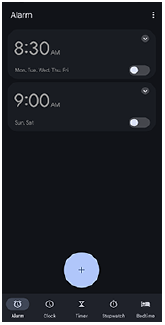
-
Tap the icon.
 (Add item)
-
Set the time, and then tap the following.
[OK] -
Select the desired value.
Hint
-
To add a clock widget to the Home screen, touch and hold an empty area on the Home screen, and tap the following.
[Widgets]
Then, select the desired clock.
TP1002267038