


Using your device in wet and dusty conditions
Your device is water- and dust-resistant with ratings of IPX5/IPX8 and IP6X. However, remember: all USB ports and connectors must be completely dry before use and attached covers should be firmly closed. Your device has a SIM card/microSD card tray slot with an attached cover. You should not put the device completely underwater, or expose it to seawater, salt water, chlorinated water, or liquids such as drinks. Your warranty does not cover damage or defects caused by abuse or use of your device in disregard of instructions from Sony. For information about warranty, please read the Important information provided under the following setting on your device.
[Settings] > [About phone] > [Legal information]
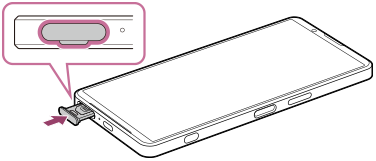
To close attached covers
- Push the tray all the way in and press the entire cover firmly so that there are no gaps between your device and the cover.
To dry your device
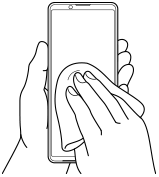
- Using a micro-fiber cloth, wipe away any excess moisture from your device.
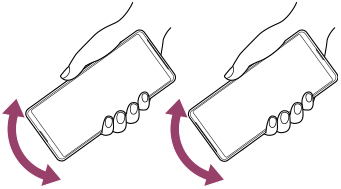
- With the device held firmly and the USB port facing downwards, shake the device vigorously at least 20 times. Reverse the orientation and shake the device again 20 times.
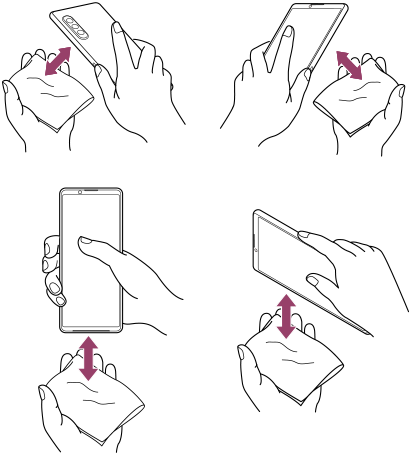
- Use a micro-fiber cloth to wipe away any remaining moisture. Wipe buttons, ports, and parts of your device such as speakers, microphones, sensors, cameras, etc. as shown in the illustration.
- Leave your device for at least a couple of hours and ensure that it is completely dry before use.
TP1002266971