


Topics for starting up your device
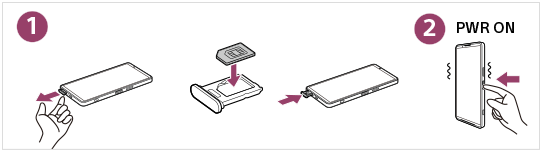
To start up your device, insert a SIM card and turn on your device.
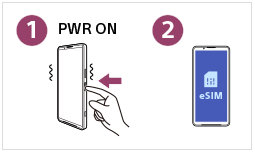
Or, turn on your device and configure an eSIM. (XQ-FS54)
For more details, refer to the topics in the following links.


Popular topics



External sites for reference


How to view the table of contents
Tap the following icon at the top right of the screen to display the table of contents.
 (Table of contents)