


Signing In to Ci Media Cloud
-
Tap [Sign in] on the Home screen.
The [Select Service] screen appears.
Note
- The cloud services available for use will vary depending on the country/region of use settings. Always select the country or region where you will use this app. You can change the country or region of use on the [About the App] screen.
-
Select [Ci Media Cloud] and tap [Next].
Hint
- To subsequently use this app signed in to Ci Media Cloud, before signing in, select [Ci Media Cloud] as the [Default Service] setting.
For details, see “Default Service.”
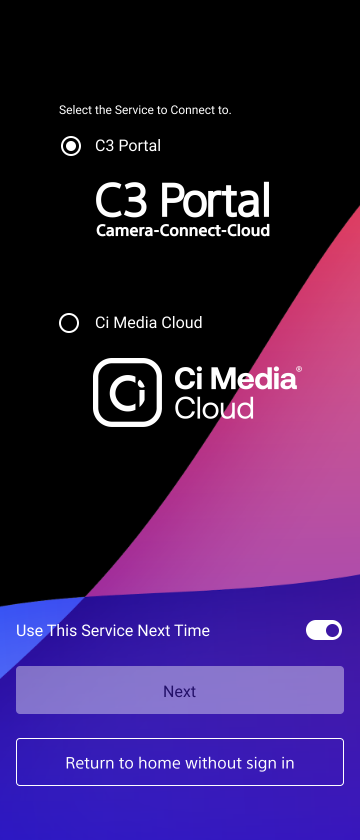
- To subsequently use this app signed in to Ci Media Cloud, before signing in, select [Ci Media Cloud] as the [Default Service] setting.
-
Enter the file request code sent by the administrator and tap [Sign in].
Hint
- When [Use This Code Next Time] is turned on, this app subsequently signs in to Ci Media Cloud automatically.
- If [Use This Code Next Time] is turned on and you subsequently want to turn it off to use a different file request code, for example, return to the file request code entry screen from the Home screen.
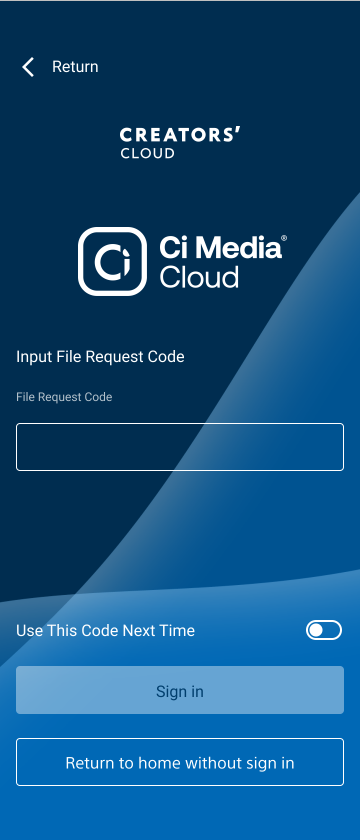
This app verifies the file request information, and the Home screen appears after signing in if verification is successful.
TP1002101600
