


Connecting to a Camera Using the Connection History
Information for cameras that were previously connected using a QR code, Bluetooth, or the remote shooting function are displayed in [Preset connection history] on the [Connection with the camera] screen. You can connect to a camera using the displayed connection history information.
Note
- If you have updated the firmware of a camera recently, you may not be able to connect to the camera from [Preset connection history]. In this case, reconnect to the camera using a QR code, Bluetooth, or the remote shooting function.
-
Tap the [Camera] button on the Home screen.The [Connection with the camera] screen appears.
-
Tap the camera you want to connect in [Preset connection history].
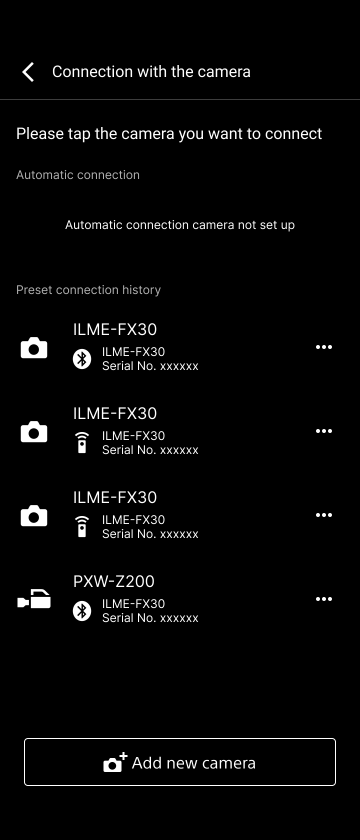
Connection with the camera will be established according to the connection history settings information.
-
Complete the connection by following the instructions displayed in this app.
Hint
- The subsequent display and operations will vary depending on the connection method of the connection history selected in step 2. For details, see the topic for the corresponding connection method.
TP1002101595
