


Sending GPS Information to a Camera
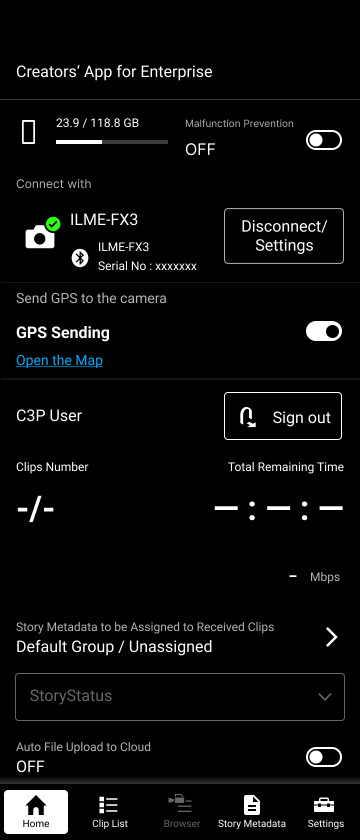
When connected to a camera that has the send GPS information function enabled, the GPS information display area is displayed on the Home screen. When the send GPS information function is enabled using the toggle switch on the right of the GPS information display area, GPS information is sent from the smartphone on which this app is installed to the camera.
Hint
- The send GPS information function can only be used when connected via Bluetooth to a camera that supports the send GPS information function, and when the send GPS information function is enabled when connected to the camera.
TP1002101597
