SONYHelp Guide

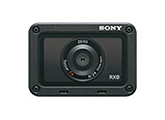
Digital Still Camera DSC-RX0

  • menu
  • Search
  • Printable PDF

Use this manual if you encounter any problems, or have any questions about your product.
This Help Guide is also available as a PDF, which can be downloaded here.

  • How to change the shooting mode

    You can set the shooting mode according to the images you want to shoot, such as still images, movies, or high-frame-rate (super-slow-motion) movies, and the functions you want to use.

  • How to turn the camera on/off remotely

    You can turn the camera on or off from a smartphone connected to the camera via the Bluetooth function.

  • DSC-RX0 Accessories compatibility information

    This website provides the accessories compatibility information. (Another window will open.)

Go to Page Top

How to Use

    • Checking the camera and the supplied items
    • Identifying parts
    • List of icons on the screen
      • Inserting the battery pack into the camera
      • Charging the battery pack while it is inserted in the camera
      • Charging by connecting to a computer
      • Battery life and the number of images that can be recorded using a battery pack
      • Supplying power from a wall outlet (wall socket)
      • Removing the battery pack
      • Inserting a memory card
      • Removing the memory card
      • Usable memory cards
    • Setting language, date and time
    • Using the up/down/left/right buttons and the Enter button
    • Using MENU items
    • Using the Fn (Function) button
    • Shooting still images
    • Shooting movies
    • Selecting a shooting mode
    • Intelligent Auto (still image)
    • Superior Auto (still image)
    • About Scene Recognition
    • The advantages of automatic shooting
    • Program Auto (still image/movie)
    • Manual Exposure (still image/movie)
    • Memory recall (Camera Settings1/Camera Settings2)
    • Intelligent Auto (movie)
    • Shooting super-slow-motion movies (High Frame Rate)
    • Shooting images underwater
    • Switching the screen display (Shooting)
      • Image Size (still image)
      • Aspect Ratio (still image)
      • Quality (still image)
      • Focus Mode
      • Focus Area
      • Lock-on AF
      • AF Area Auto Clear
      • Focus-lock
      • Preset Focus
      • NEAR Mode in PF
      • Manual Focus
      • MF Assist
      • Focus Magnif. Time
      • Peaking Level
      • Peaking Color
      • AF/MF control
      • Eye AF
      • Zoom
      • About zoom scale
      • Shutter Speed
      • Exposure Comp.
      • Metering Mode
      • AE lock
      • AEL w/ shutter (still image)
      • Zebra
      • Drive Mode
      • Cont. Shooting
      • Spd Priority Cont.
      • Self-timer
      • Self-timer(Cont)
      • Cont. Bracket
      • Single Bracket
      • WB bracket
      • DRO Bracket
      • Settings for bracket shooting
      • Indicator during bracket shooting
      • ISO
      • ISO AUTO Min. SS
      • Multi Frame NR
      • D-Range Opt. (DRO)
      • Auto HDR
      • White Balance
      • Capturing a basic white color in [Custom Setup] mode
      • Picture Effect
      • Creative Style
      • Movie recording formats
      • File Format (movie)
      • Record Setting (movie)
      • Dual Video REC
      • Marker Display (movie)
      • Marker Settings (movie)
      • Mon. Off dur REC (movie)
      • REC Lamp
      • Audio Recording
      • Audio Rec Level
      • Audio Level Display
      • Wind Noise Reduct.
      • Auto Slow Shut. (movie)
      • MOVIE Button
      • Picture Profile
      • Adjusting the settings for super-slow-motion shooting (HFR Settings)
      • Selecting the exposure mode for super-slow-motion shooting (Exposure Mode)
      • Memory (Camera Settings1/Camera Settings2)
      • Function Menu Set.
      • Custom Key(Shoot.)
      • Function of the Enter button
      • Function of the Left button
      • Face Detection
      • Face Registration (New Registration)
      • Face Registration (Order Exchanging)
      • Face Registration (Delete)
      • High ISO NR (still image)
      • Audio signals
      • Write Date (still image)
      • Color Space (still image)
      • Grid Line
      • Auto Review
      • Live View Display
      • Release w/o Card
      • Playing back images
      • Playback zoom
      • Image Index
      • Switching the screen display (during playback)
      • Playing back movies
    • Delete
    • Specify Printing
      • View Mode
      • Slide Show
      • Rotate
      • Enlarge Initial Pos.
      • Protect
      • 4K Still Image PB
      • Viewing images on an HD TV
      • Viewing images on a “BRAVIA” Sync-compatible TV
    • Monitor Brightness
    • Gamma Disp. Assist
    • Volume Settings
    • Tile Menu
    • Pwr Save Start Time
    • Auto Pwr OFF Temp.
    • Flip
    • NTSC/PAL Selector
    • Demo Mode
    • TC/UB Settings
    • HDMI Settings: HDMI Resolution
    • HDMI Settings: 24p/60p Output (movie) (Only for 1080 60i compatible models)
    • HDMI Settings: HDMI Info. Display
    • HDMI Settings: TC Output (movie)
    • HDMI Settings: REC Control (movie)
    • HDMI Settings: CTRL FOR HDMI
    • HDMI 4K Output (movie)
    • USB Connection
    • USB LUN Setting
    • USB Power Supply
    • PC Remote Settings: Still Img. Save Dest.
    • PC Remote Settings: RAW+J PC Save Img
    • Language 
    • Date/Time Setup
    • Area Setting
    • Copyright Info
    • Format
    • File Number
    • Set File Name
    • Select REC Folder
    • New Folder
    • Folder Name
    • Recover Image DB
    • Display Media Info.
    • Version
    • Setting Reset
    • PlayMemories Mobile
      • Controlling the camera from a smartphone via Wi-Fi (Single connection) (Android)
      • Controlling the camera from a smartphone via Wi-Fi (Single connection) (iPhone/iPad)
      • Controlling multiple cameras from a smartphone via Wi-Fi (Multiple connections)
      • Controlling multiple cameras from a smartphone via Wi-Fi using an access point (Multiple connections)
      • Turning the camera on/off from a smartphone using the Bluetooth function
      • Send to Smartphone
      • Send to Computer
      • View on TV
      • Ctrl w/ Smartphone
      • Airplane Mode
      • Wi-Fi Settings: WPS Push
      • Wi-Fi Settings: Access Point Set.
      • Wi-Fi Settings: Disp MAC Address
      • Wi-Fi Settings: SSID/PW Reset
      • Bluetooth Settings
      • Remote Power Set.
      • Edit Device Name
      • Reset Network Set.
    • Recommended computer environment
      • PlayMemories Home
      • Installing PlayMemories Home
      • Software for Mac computers
      • Imaging Edge
      • Connecting the product to a computer
      • Importing images to the computer
      • Disconnecting the product from the computer
      • Selecting a disc to be created
      • Creating Blu-ray Discs from high-definition image quality movies
      • Creating DVD discs (AVCHD recording discs) from high-definition image quality movies
      • Creating DVD discs from standard image quality movies
    • Camera control boxes
    • Precautions
    • On the internal rechargeable battery
    • Notes on the battery pack
    • Charging the battery pack
    • Notes on memory card
    • On cleaning
      • Number of still images
      • Recordable time of movies
      • Using the AC Adaptor/battery charger abroad
      • On TV color systems
      • ZEISS lens
      • AVCHD format
      • License
    • Trademarks
  • Troubleshooting

      • Troubleshooting
      • Self-diagnosis display
      • Warning messages
4-698-613-13(1)
Copyright 2017 Sony Corporation
Go to Page Top