


Importing color adjustment settings
This section describes the procedure for loading and applying color presets for color grading information exchange or ASC-CDL* files.
*American Society of Cinematographers Color Decision List
Applying color presets
Color presets include the following settings:
Exposure/Temperature/Tint/Look profile/Tone curve/ASC-CDL
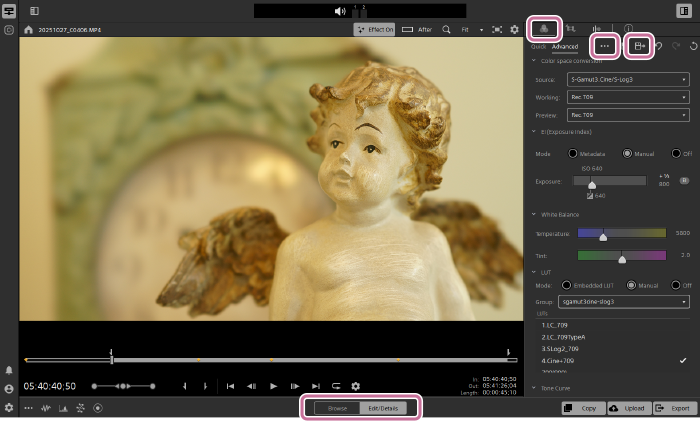
- Select a clip to which you want to apply the color adjustment settings, and then set the mode selector to [Edit/Details].
- You can also apply a color preset to multiple clips selected in the clip list.
Note
- If the following icon appears when you select a clip, you cannot apply a color preset to that clip.
 : Spanned clip
This icon indicates that the clip spans multiple files due to file size limitations. This software displays it as a single virtual clip.
- Click the [Color Adjustments] button in the upper right of the screen.
 : [Color Adjustments] button
The [Color Adjustments] panel will be displayed.
- Click the following button at the top of the panel.
 : [More color options] button
The [Load color preset] dialog will open.
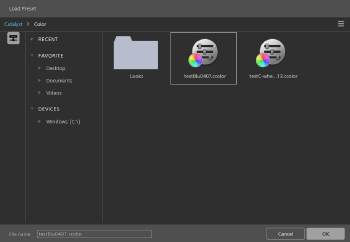
- You can also open this dialog by selecting [Load color preset] from the menu that appears when you click the following button at the top of the panel.
 : [More color options] button
- You can also open this dialog by selecting [Load color preset] from the menu that appears when you click the following button at the top of the panel.
- Select the Catalyst color (.ccolor) file you want to apply.
- Click the [OK] button.
The color preset will be applied to the specified clip.
Applying an ASC-CDL file
- Select a clip to which you want to apply the color adjustment settings, and then set the mode selector to [Edit/Details].
- You can also apply an ASC-CDL file to multiple clips selected in the clip list.
Note
- If the following icon appears when you select a clip, you cannot apply an ASC-CDL file to that clip.
: Spanned clip
This icon indicates that the clip spans multiple files due to file size limitations. This software displays it as a single virtual clip.
- Click the [Color Adjustments] button in the upper right of the screen.
: [Color Adjustments] button
The [Color Adjustments] panel will be displayed.
- Click the following button at the top of the panel to select [Load ASC-CDL].
: [More color options] button
The [Load ASC-CDL] dialog will open.
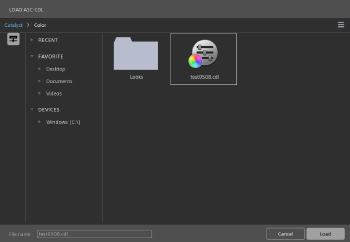
- Select the ASC-CDL (.cdl) file you want to apply.
- Click the [Load] button.
The selected color settings will be applied to the specified clip.
TP1002509285