


Cloud download
You can download clips from Ci Media Cloud storage to your computer.
This operation can be performed from any of the following screens.
- [Browse] screen
- [Edit/Details] screen
- Select Ci Media Cloud from the button in the upper left of the screen.
 : [Ci Media Cloud] button
- There are two login methods for Ci Media Cloud.
- Enter the registered username or email address and password.
- Select [Contributor Code] and enter the code.
If you have a Sony Account, you can also log in using it.
- After you log in, the clips and folders stored in the cloud storage will be displayed.
- In this software, you can view thumbnails of clips in cloud storage and check some of their metadata.
- There are two login methods for Ci Media Cloud.
- Select the clips you want to download.
- You can also select multiple clips and download them all at once.
- Click the following button in the lower right of the screen.
 : [Download] button
The [Download] dialog will open.
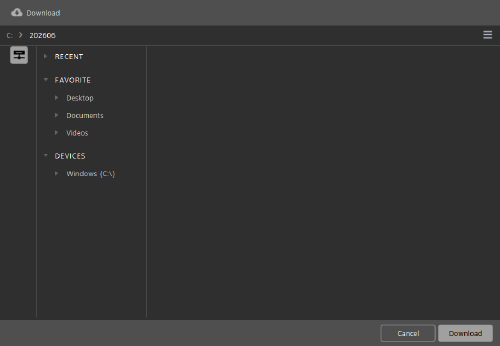
- You can also open the dialog by selecting [Download] from the menu that appears when you right-click on the clip.
- Select the local destination folder from the folder tree.
- Click the [Download] button.
The selected clips will be downloaded to the local destination folder.
Note
- Previews and some metadata of clips stored in cloud storage cannot be displayed in this software.
TP1002508910