


MISHOE SET.
This section describes [MISHOE SET.] in the receiver menu.
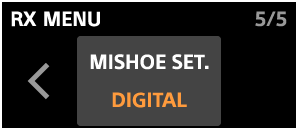
In [MISHOE SET.], you can select [DIGITAL] or [ANALOG] depending on the type of connected camera.
-
DIGITAL
Select this option when your camera supports the digital audio interface of the Multi Interface Shoe.
-
ANALOG
Select this option when your camera does not support the digital audio interface of the Multi Interface Shoe.
For information on whether your camera supports the digital audio interface, check the following website.
TP1002542220