


Turning on/off the receiver/microphone
- Press and hold the ON/OFF (Power) button on the receiver/microphone for 2 seconds.
The receiver/microphone turns on.
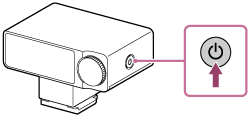
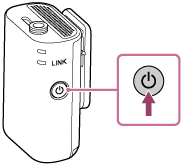
To turn off the receiver/microphone
Press and hold the ON/OFF (Power) button on the receiver/microphone for 1 second.
Note
-
If the receiver/microphone is not operated for 15 minutes, the auto power-off function is activated. To use it again, turn the receiver/microphone off and then turn it back on.
The auto power-off function is disabled in the following cases:
-
Audio is being recorded to the built-in memory of the microphone.
-
The receiver is connected to a camera or external device.
-
TP1002542190