Receiver status screen
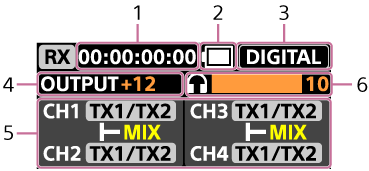
Turning the control wheel/button to the right on the microphone status screen displays the receiver status screen, where you can check the receiver settings.
-
Timecode
Displayed when using the timecode function.
-
Receiver battery level
-
DIGITAL/ANALOG indication
-
Output gain
-
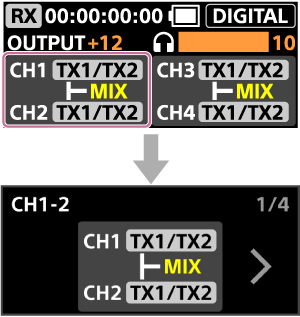
Channel settings
Selecting the channel item with the control wheel/button, or tapping it, displays the output settings screen for the selected channels.
For details, see “About channel settings.”
-
Headphone monitor volume
Displays the volume level of the audio monitored through headphones. It appears when [2TX] mode is set and audio is monitored using LE Audio compatible headphones.
To change the output gain, the headphone monitor volume, and the channel settings
-
Selecting the output gain with the control wheel/button, or tapping it, displays the output gain setting screen.
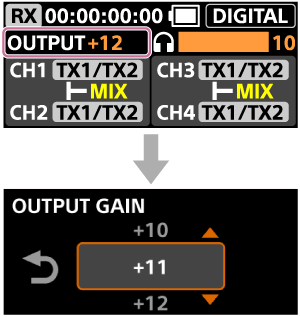
If you do not change the value, tap
 (Back) to return to the receiver status screen.
 -
Selecting the headphone monitor volume with the control wheel/button, or tapping it, displays the headphone monitor volume setting screen.
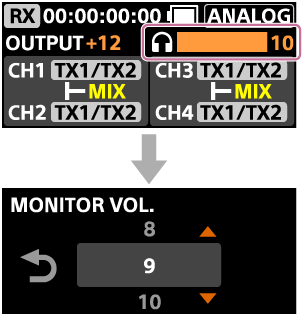
If you do not change the value, tap
(Back) to return to the receiver status screen. -
Selecting the channel settings with the control wheel/button, or tapping it, displays the output settings screen for the selected channels.
For details, see “About channel settings.”