


TX LAMP
This section describes [TX LAMP] in the system menu.
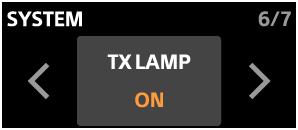
In [TX LAMP], you can configure the microphone indicator settings.
-
ON
Lights or flashes the microphone indicators depending on the device or communication status.
For details about lamp indications, see “Lamp indications.”
-
OFF
The microphone indicators do not light or flash.
However, the microphone indicators light or flash in the following cases.
-
When the microphone is in pairing mode: The LINK lamp flashes.
-
When the microphone is charging: The power lamp lights.
-
After the microphone is turned on: The power lamp lights for 3 seconds only.
-
When the ON/OFF (Power) button on the microphone is pressed twice quickly: The LINK lamp lights or flashes.
-
When a microphone name is selected under [TX IDENTIFY] in the system menu: All indicators on the selected microphone flash for 3 seconds.
For details, see “TX IDENTIFY.”
-