


Creating an [Index] process
- Tap
 (Settings) in the upper right part of the “Scent Canvas” app Home screen followed by the [Admin Mode]
  (On/Off) switch to turn Administrator Mode on.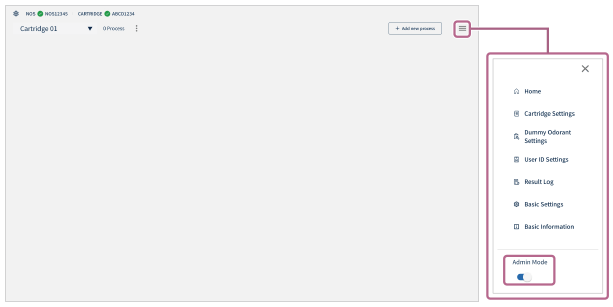
- Tap [
 Add new process] in the upper right part of the screen.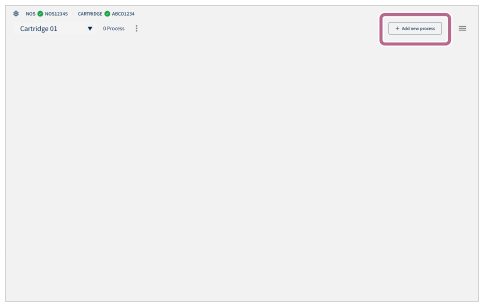
- Tap [Create] in the [Index] section of the [Process Creation] screen.
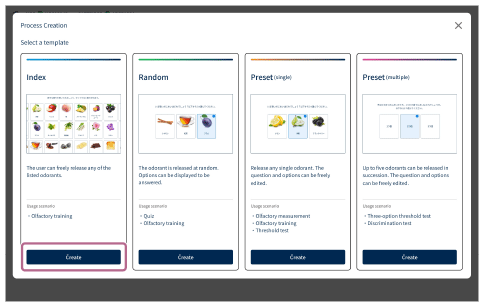
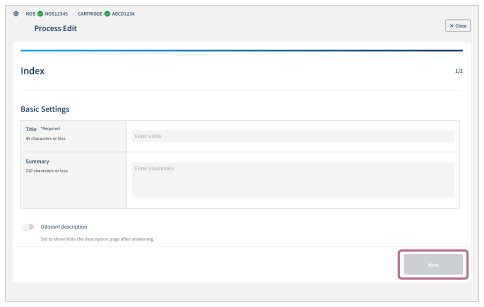
- Configure the basic process settings.
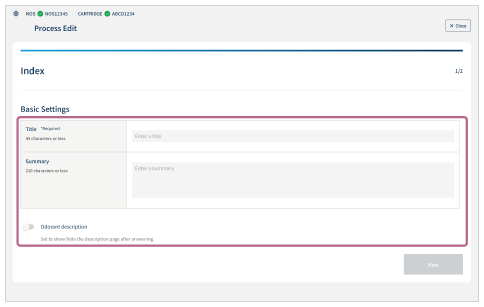
- Title (*Required): Enter the process title (maximum of 45 characters).
- Summary: Enter the process description (maximum of 210 characters).
-
Odorant description: Set whether to display the explanation screen after answering. Tap the
 (On/Off) switch to set.
- Tap [Next].
- Configure the process display settings.
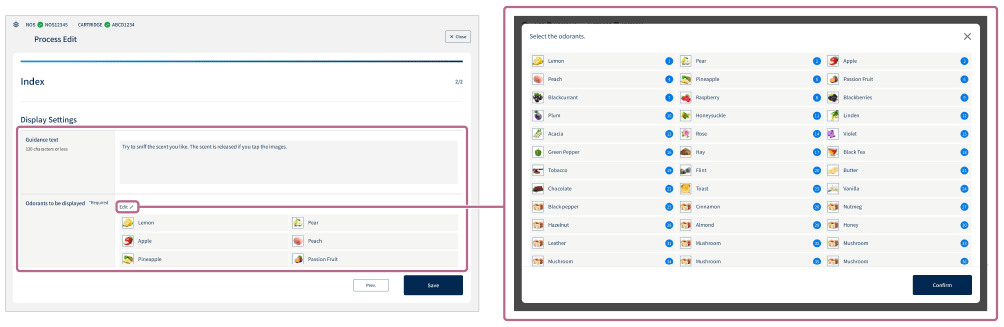
- Guidance text: Enter the operational guidance and other text (maximum of 120 characters).
-
Odorants to be displayed (*Required): Tap [Edit
 ] to display the odorant selection screen. Select the odorants on the odorant selection screen and tap [Confirm].
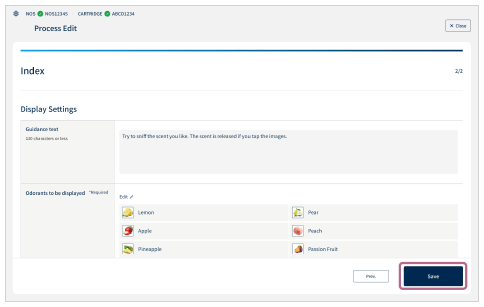
- Tap [Save] to save the settings.
To stop the configuration in the middle
Tap [ Close] in the upper right part of the screen.
Please note that the created settings are not saved.