


Basic Information
Check the unit serial number, firmware version, the “Scent Canvas” app version, etc.
Perform basic information operations in Administrator Mode.
-
Tap
 (Settings) in the upper right part of the “Scent Canvas” app Home screen followed by the [Admin Mode]
  (On/Off) switch to turn Administrator Mode on.
 -
Tap [
 Basic Information] under (Settings) in the upper right part of the Home screen.
 -
Check each item.
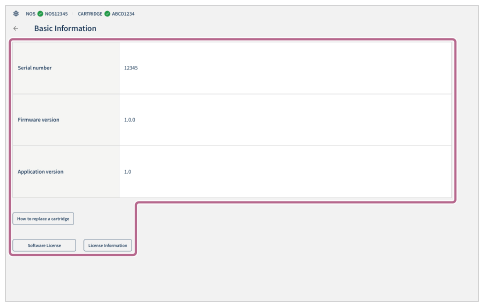
- Serial number: The serial number of the unit can be confirmed.
- Firmware version: The firmware version of the unit can be confirmed.
- Application version: The version of the “Scent Canvas” app can be confirmed.
- How to replace a cartridge: Tap to check the cartridge replacement procedure through illustrations.
- Software License: Tap to check information regarding the software license.
- License Information: Tap to check information regarding the software license.
-
Tap [
 ] (Return) in the upper left part of the screen.