Before creating a process
Before creating a process, check that the odorant that you wish to use is correctly registered in the cartridge settings.
- Tap
 (Settings) in the upper right part of the “Scent Canvas” app Home screen followed by the [Admin Mode]
  (On/Off) switch to turn Administrator Mode on.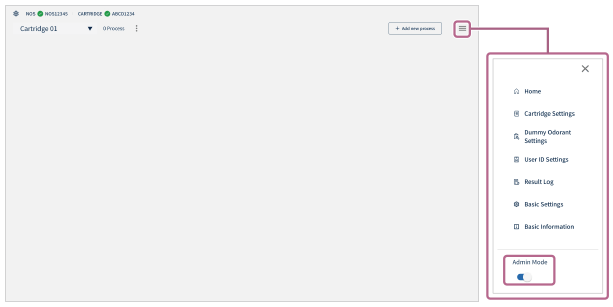
- Tap (Settings) — [
 Cartridge Settings].
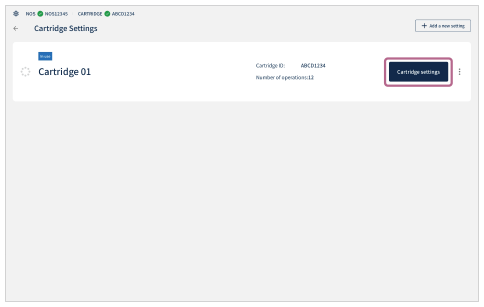
 - On the [Cartridge Settings] screen, tap [Cartridge settings] for a cartridge that is displayed as [In use].
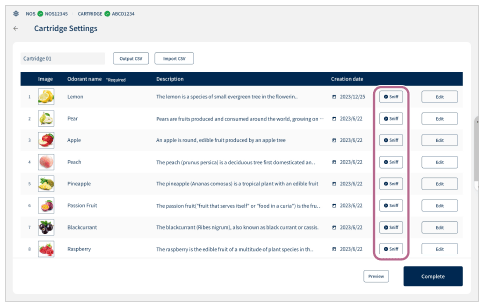
- Tap [
 Sniff] for each odorant and check that the registered odorant name and the actual odorant are correct.
If the registration number of an odorant is incorrect (the number is out of sequence, etc.), change the odorant registration in the app.
If an unintended odorant that differs from the registered odorant is injected into the cartridge, remove the current sub-cartridge and inject the correct odorant into a new sub-cartridge.