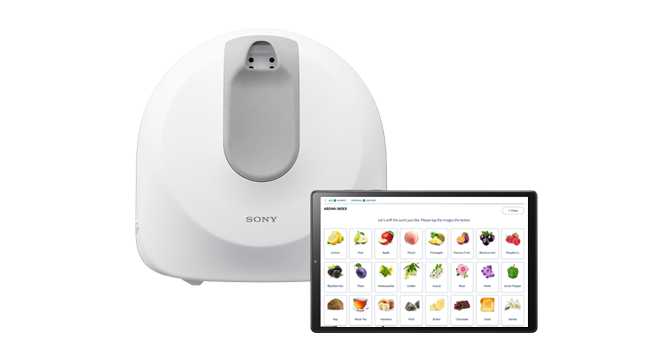
Next-Gen Olfactometry System for custom cartridges
NOS-DX1000
Help Guide
Table of Contents
Top
Introduction
Features of this product
Important notes
Checking the package contents
Guide to parts and controls
“Scent Canvas” App Home screen
Preparations
Preparation Step 1: Arranging all of the necessary items
Preparation Step 2: Configuring the initial settings with the “Scent Canvas” app
Preparation Step 3: Removing sub-cartridges from the cartridge
Preparation Step 4: Affixing stickers to the sub-cartridges
Preparation Step 5: Injecting the odorant into the sub-cartridge
Preparation Step 6: Installing the sub-cartridges in the cartridge
Preparation Step 7: Setting the cartridge into the unit
Preparation Step 8: Turning on the power to the unit
Preparation Step 9: Connecting the unit and tablet
Preparation Step 10: Linking the cartridge and the cartridge setting
Creating a Process
Overview of the four types of templates
Before creating a process
Creating an [Index] process
Creating a [Random] process
Creating a [Preset (single)] process
Creating a [Preset (multiple)] process
Releasing a process
Executing a Process
Setting the nose guide on the unit
Executing a process
When the process execution is completed
Various Settings
Switching between Administrator Mode/User Mode
Cartridge Settings
Dummy Odorant Settings
User ID Settings
Result Log
Basic Settings
Basic Information
Migrating Processes/Various Settings to Another Tablet
Migrating process data to another tablet
Migrating process data and various settings to another tablet in a batch operation
Cartridge Replacement and Cleaning
Replacing the cartridge
Replacing the deodorization filter
Maintenance
Troubleshooting
Troubleshooting
If you encounter problems
Precautions/Specifications
Precautions
Disposal
Specifications
Trademarks and copyrights
This manual explains the basic usage for Next-Gen Olfactometry System for custom cartridges.
Download PDF