


Configuring Shortcut Keys
You can set shortcuts for operations on the [Live Operation] screen using combinations of the [0] to [9]/[A] to [Z]/[Space] keys and [Shift]/[Ctrl] keys on the keyboard.
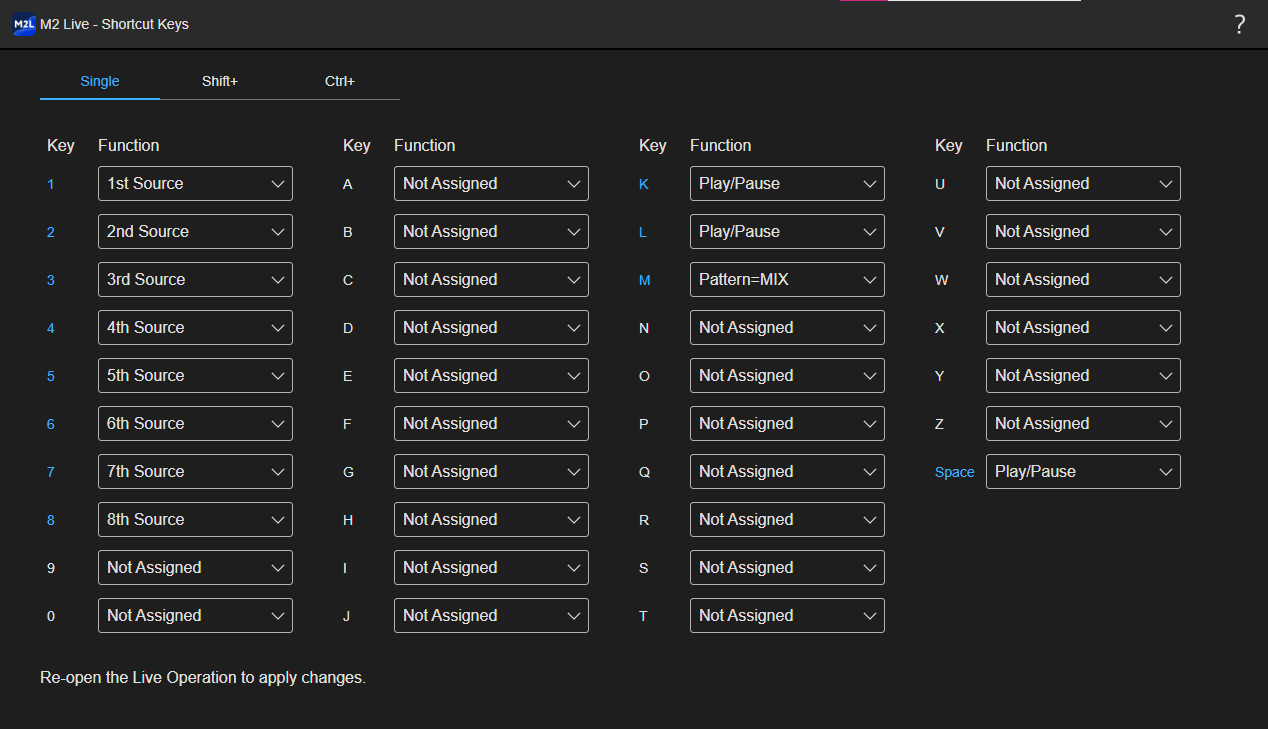
-
On the [Dashboard] screen or [Live Operation] screen, select
 (Account) > [Preferences] > [Shortcut Keys].The [Shortcut Keys] screen will appear in a separate tab.
 -
Select the function you want to assign from the pull-down list for the key you want to configure the shortcut.
Hint
- Select [Not Assigned] to cancel a shortcut assignment.
-
Open the [Live Operation] screen again.Changes to the shortcut key settings take effect at the moment the [Live Operation] screen is opened again.
Hint
- The shortcut key settings are stored for each user. This does not affect other users using the same event.
