


Adjusting the Buffer on the [Live Operation] Screen
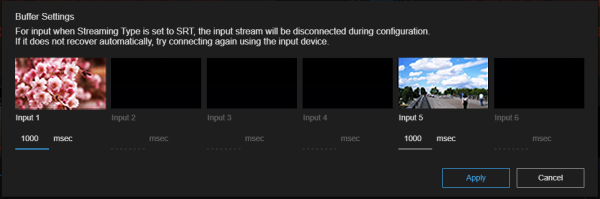
You can adjust the buffer for each input content on the [Live Operation] screen. The buffer can also be adjusted using [Buffer (msec)] on the [Input] tab of the [System Settings] screen. The last configured value is the value that will be applied.
Configure the settings in the [Buffer Settings] dialog.
Click  (Options) at the top right of the [Source] tab and select [Buffer Settings] to display the [Buffer Settings] dialog.
The [Buffer Settings] dialog displays the video, name, and buffer settings for each input content. Set the buffer value for the input content you want to change and press the [Apply] button.
Note
- Buffer adjustment is available when [Streaming Type] for the input content is set to [SRT], or when set to [PXWZ280/Z190] or [XDCAM pocket] and connection with the input device has been established.
- Adjusting the buffer may cause distortion of the image. Depending on the input source, you may need to reconnect. Exercise care when making adjustments.
