


Setting the Audio to Record
You can specify the audio to be recorded using the input connectors, switches, and dials of the unit.
External audio input connectors and selector switches
INPUT 1 connector
INPUT 2 connector
Multi interface shoe
INPUT 1 (LINE/MIC/MIC+48V) switch
INPUT 2 (LINE/MIC/MIC+48V) switch
Switches/dials for setting the audio recording level
CH1 (AUTO/MAN) switch
CH2 (AUTO/MAN) switch
CH3 (AUTO/MAN) switch
CH4 (AUTO/MAN) switch
AUDIO LEVEL dial (CH1)
AUDIO LEVEL dial (CH2)
AUDIO LEVEL dial (CH3)
AUDIO LEVEL dial (CH4)
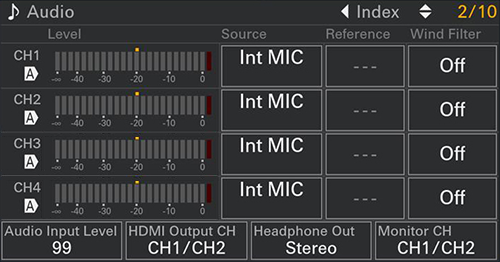
[Audio] status screen
You can press the MENU button and scroll the screen up/down.
TP1002070974