


Zooming using the Zoom Lever
Set the zoom servo switch (A) to the SERVO position and adjust the zoom using the handle zoom lever (B) or grip zoom lever (C).
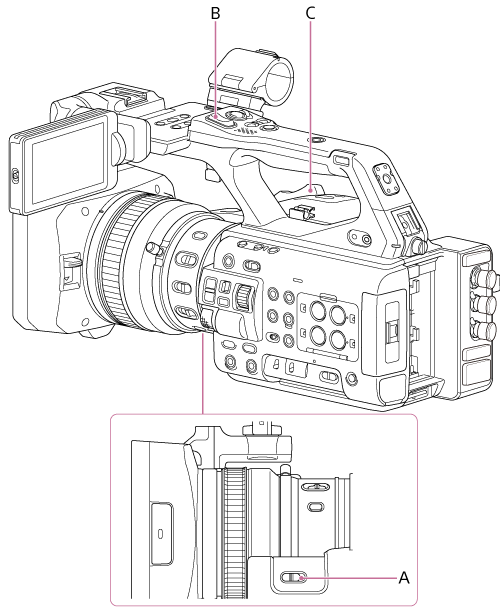
Press the zoom lever slightly to zoom slowly, and move it further to zoom faster.
For the handle zoom level, set [Technical] – [Handle Zoom] – [Setting] to [Variable] in the full menu beforehand.
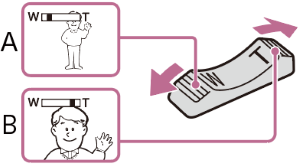
A: Press toward W (wide angle) to zoom out
B: Press toward T (telephoto) to zoom in
Hint
- The distance to the subject required for focusing is approximately 1 cm or more for wide-angle and approximately 100 cm or more for telephoto.
- Subjects within 100 cm may not be in focus depending on the zoom position.
- Do not suddenly release your finger from the zoom lever. The operating sound of the zoom lever may be recorded when you release your finger.
TP1002070948