


Using a Grip Remote Control
You can use the unit by connecting a GP-VR100 Grip Remote Control designed for the MPC-2610.
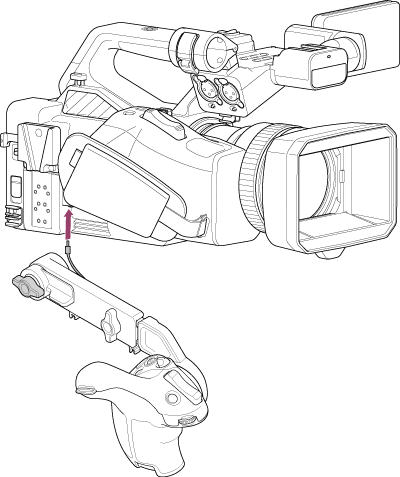
The following controls have the same functions as the controls of the same name on the unit.
- ASSIGN (assignable) 4 button
- ASSIGN (assignable) 5 button
- ASSIGN (assignable) 6 button
- Record START/STOP button
- Multi selector
Set the function of the assignable dial using [Project] – [Assignable Dial] – [Grip/Remote Dial] in the full menu.
Note
- The grip remote control cannot be connected directly to the unit. Use a commercially available base plate, for example.
TP1002071047