


Snapshot Numbers (option license is required)
You can assign ICP-X panel snapshot numbers to each scene in this system.
Displaying snapshot numbers
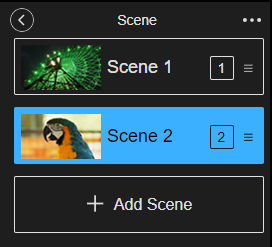
Press [Show Snapshot Numbers], inserting a check mark, in  (Options) at the top right of the [Scene] pane to display the snapshot numbers for each scene. To hide the snapshot numbers, press [Show Snapshot Numbers] again to clear the check mark.
Registering snapshot numbers
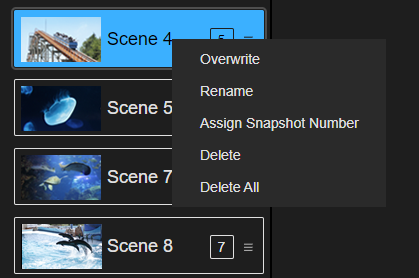
Right-click the scene for which you want to register a snapshot number in the list in the [Scene] pane, and select [Assign Snapshot Number] from the displayed context menu. Enter a snapshot number in the dialog that appears and press the [Apply] button to register the snapshot number.
Hint
- You can set a snapshot number in the range 1 to 999.
TP1001871934
