


Connecting using Wi-Fi to a Control Device Configured as an Access Point (Tethering/Internet Sharing) in Multi-Camera Monitoring Mode
You can connect multiple cameras to a control device using Wi-Fi if the control device is configured as an access point.
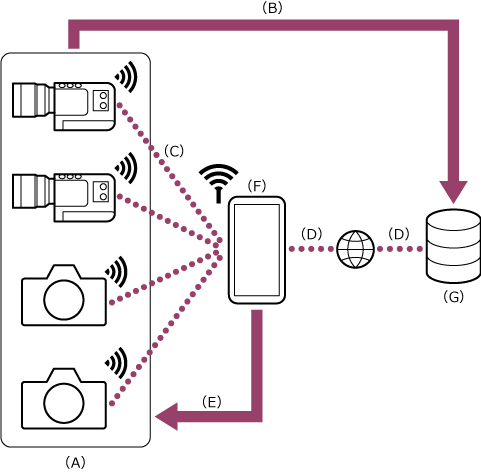
(A) Camera
(B) Wi-Fi connection
(C) Remote control
(D) Control device on which this app is installed (access point)
The connection procedure varies depending on the cameras to connect.
Connect the cameras as described in “Connecting using Wi-Fi to a Control Device Configured as an Access Point (Tethering/Internet Sharing) (ILME-FX3 / ILME-FX3A / ILME-FX2 / ILME-FX30 / ILCE series / ZV series)” or “Connecting Using Wi-Fi to a Mobile Device Configured as an Access Point (Tethering/Internet Sharing) (PXW-Z200/HXR-NX800/ILME-FX6/MPC-2610).”
Hint
- Connection will be easier if you unify the access authentication across all cameras beforehand.
- Communication with the camera does not consume mobile data.
TP1002103072
