


Connecting by Wired LAN via a Router or Switching Hub in Multi-Camera Monitoring Mode
You can connect multiple cameras and a control device by connecting the cameras and control device via wired LAN to the same router or switching hub.
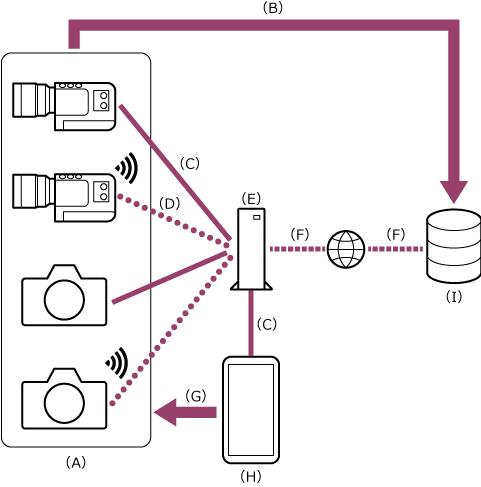
(A) Camera
(B) Wired LAN connection
(C) Wi-Fi connection
(D) Router or switching hub
(E) Remote control
(F) Control device on which this app is installed
Note
- It is not possible to connect the camera and control device directly via a wired LAN. The connection must go via a router or switching hub.
The connection procedure varies depending on the cameras to connect.
Connect the cameras as described in “Connecting via Wired LAN (ILCE-1 / ILCE-1M2 / ILCE-9M3 / ILME-FX3 / ILME-FX3A / ILME-FX30)” or “Connecting via Wired LAN (PXW-Z300 / PXW-Z200 / HXR-NX800 / ILME-FX5 / ILME-FX6 / MPC-2610).”
Hint
- Can also be used in conjunction with Wi-Fi connection if connected via a router.
- Connection will be easier if you unify the access authentication across all cameras beforehand.
TP1002103073
