


Changing the Number of People to Track During PTZ Auto Framing
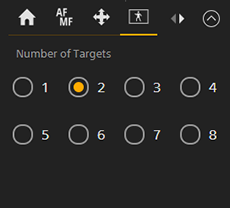
You can change the number of people to track during PTZ auto framing.
Select the number of people on the  (PTZ AFR1) tab of the camera control panel.
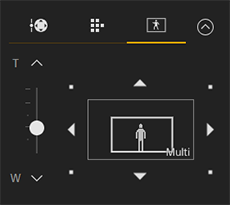
“Multi” is displayed in the composition control panel when two or more people are configured.
The settings on the composition control panel are applied for all people being tracked. Basically, the image will be zoomed out to a wide-angle view according to the number of people.
Hint
- During auto focus, the selected main subject is the focus target.
TP1002077735
