


Replacing a Preset Framing for PTZ Auto Framing with a New Composition
You can replace an existing preset framing with a new composition.
-
Set the [PTZ AFR] switch to the on position on the live operation screen.
The preset framing control panel is displayed on the left side of the live operation screen.
-
Adjust the size of the person and position in the AFR composition adjustment panel.
For details about adjustment, see “Specifying the Subjects for Automatic Tracking (Person manual tracking start mode).”
-
Select the preset framing to replace, press the
 (Preset framing menu) button and select [Replace] from the displayed menu.
The composition adjusted in step 2 is registered in the preset framing.
The preset framing display changes to the new composition.
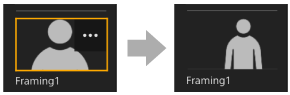
Replacement example
TP1001868325
