


[Scene File]
You can save a scene file to and load a scene file from the device running the Web App.
A list of available scene files is displayed on the screen. A “●” mark is displayed in front of the scene file number for the currently used scene file.
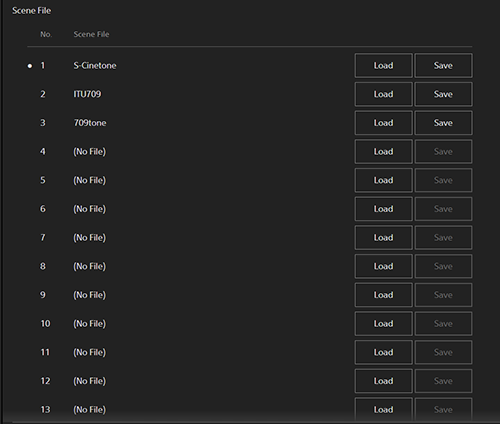
[No.]: Scene file number
[Scene File]: Scene file name
To save a scene file
Press the [Save] button to save the scene file to the device running the Web App. For details, see “Saving a Scene File from Internal Memory to an External Device.”
To load a scene file
Press the [Load] button to load the scene file from the device running the Web App. For details, see “Loading a Scene File Saved on an External Device into Internal Memory.”
TP1002077740
