


Block Diagrams
The block diagrams are related to audio and the [Audio] menu.
[Audio Input] (CH1&CH2)
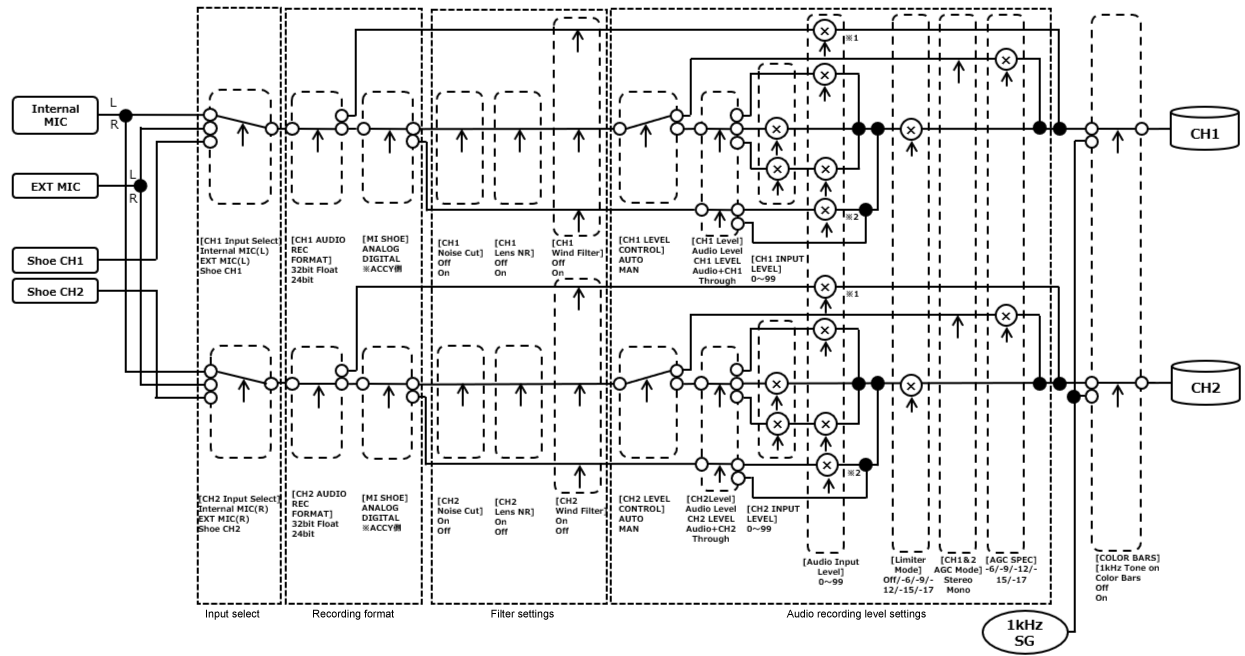
*1: Disabled when XLR adaptor is set to AUTO
*2: Disabled when XLR-H2 and XLR-A4 are set to AUTO
* Set using [Audio] – [Audio Input] – [CH1 Level Control] to [CH2 Level Control] in the menu for audio input from an XLR adaptor.
[Audio Input] (CH3&CH4)
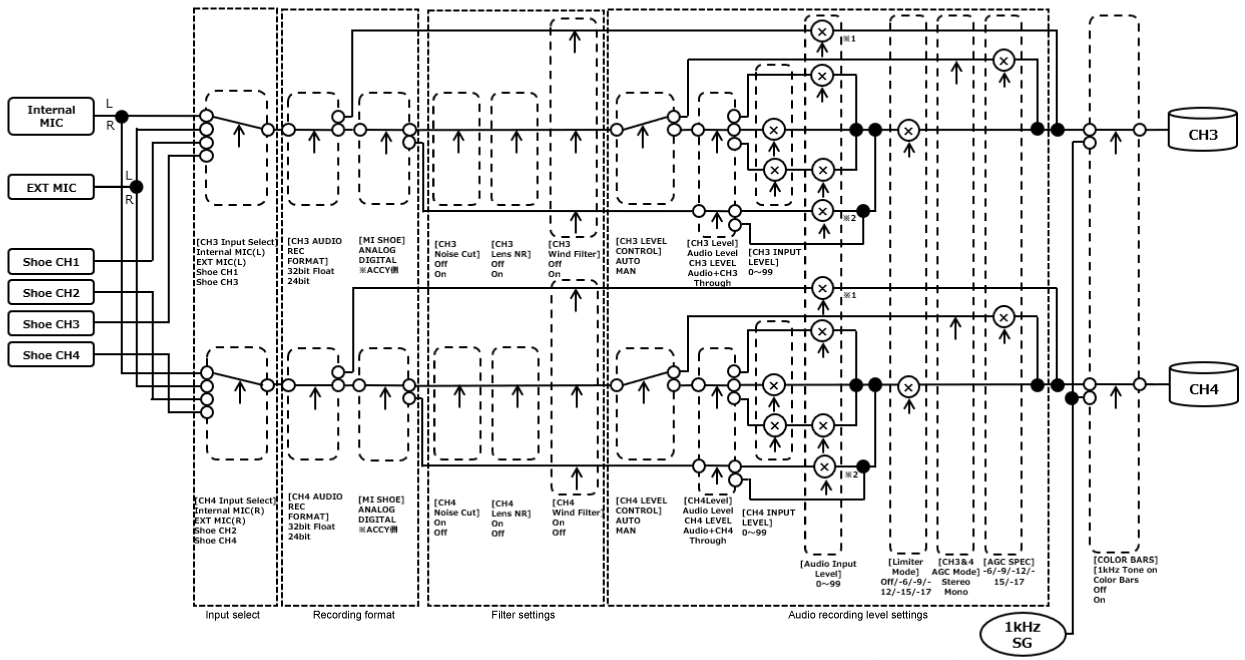
*1: Disabled when XLR adaptor is set to AUTO
*2: Disabled when XLR-H2 and XLR-A4 are set to AUTO
* Set using [Audio] – [Audio Input] – [CH1 Level Control] to [CH3 Level Control] in the menu for audio input from an XLR adaptor.
Block diagram (output example)
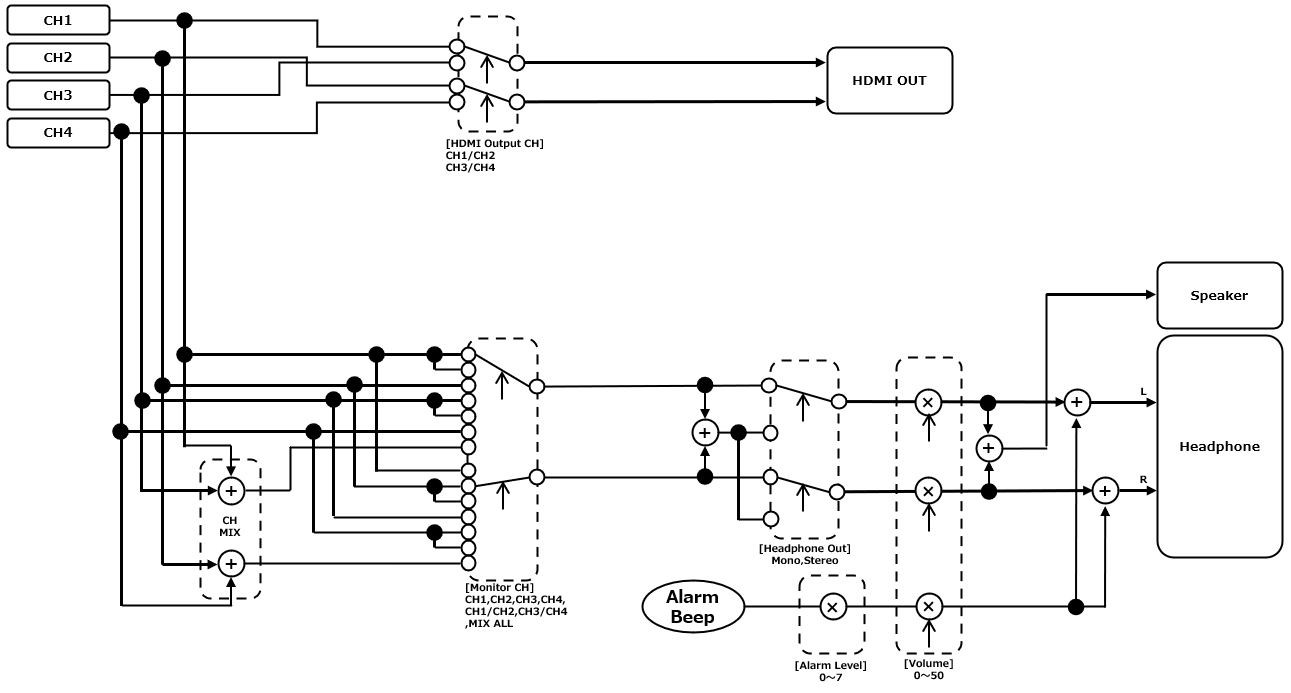
TP1002215376