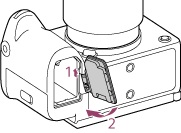
Bottom Side
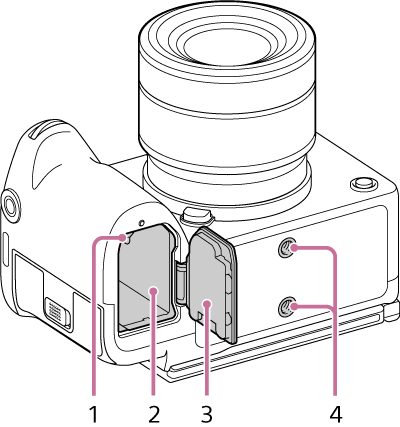
- Lock lever
- Battery compartment
- Battery cover
-
Tripod screw holes
Compatible with 1/4-20 UNC screws
When attaching to a tripod, use a tripod with a screw of length 5.5 mm or shorter. If you use a screw that is longer than 5.5 mm, you will not be able to firmly secure the unit to the tripod, and the unit may be damaged.
Hint
-
Battery cover option component
There is a battery cover, available from your Sony support representative, that allows you to use a DC coupler (sold separately) with the battery cover closed.
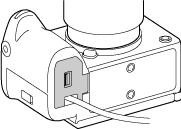
For inquiries about availability or purchases, contact your Sony support representative. When purchasing, provide the product name and number.
Availability may vary depending on the country or region.
Sony support
https://www.sony.net/support-contact
Product name: BT cover for DC coupler (sold separately)
Number: X-5005-359-1
Using this battery cover outdoors in rainy weather may allow water droplets or moisture to enter the camera body.
Removal
Move the battery cover removal lever (A) in the direction of the arrow and remove the battery cover.
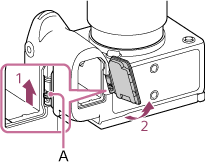
Attachment
Insert one pin of the battery cover into the hole in the mounting bracket, then push the battery cover into place to attach the other pin.