


Inserting/Removing the Battery Pack
-
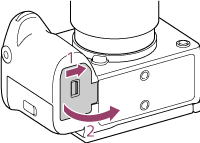
Slide the switch on the battery cover to open the cover.
-
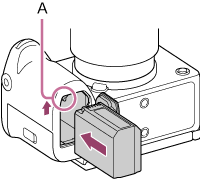
Insert the battery pack while pressing the lock lever (A) with the edge of the battery until the battery locks into place.
-
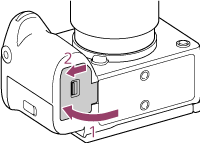
Close cover and slide the switch to the LOCK position.
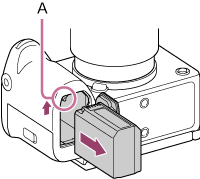
To remove the battery pack
Check that the access lamp is not lit, then turn the unit off and slide the lock lever (A) to remove the battery. Take care not to drop the battery.
TP1002274774