


Selecting the items on the LCD monitor
Use  (move up) /
  (move down) /
  (move to the left) /
  (move to the right) / SET (to decide by pressing) on the menu that is displayed on the LCD monitor.
Some items are operated directly by touching the LCD monitor (SPOT METER/FOCUS, CALIBRATION ,etc.).
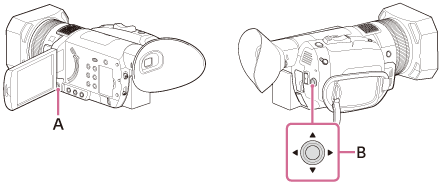
A: MENU button
B: ////SET button
