


Structure of the PTZ AFR Settings Screen
This topic describes the structure of the PTZ auto framing settings screen.
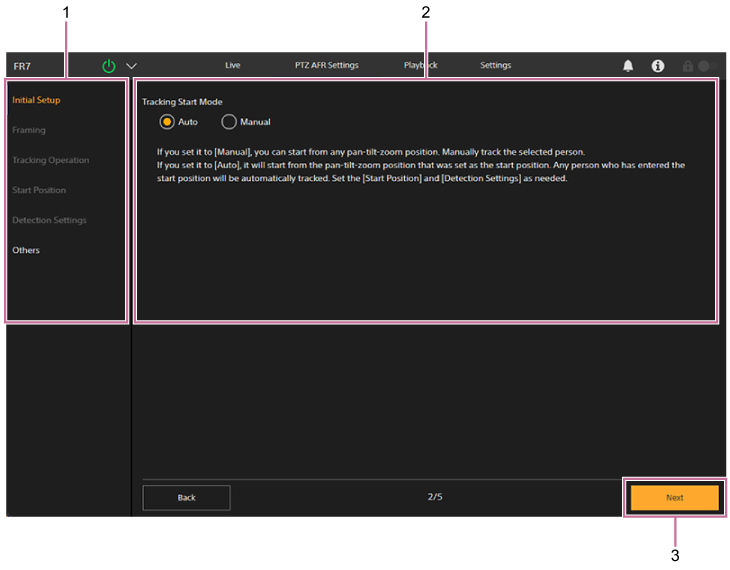
-
Setup item tabs
Displays the setup items.
-
Settings screen
Displays the settings screen and configuration guidance.
-
[Next] button
The next setup screen appears.
Hint
- When changes to the settings are applied, the [OK] button appears.
- When initializing settings, [Start] appears.
- When initializing settings, only the [Initial Setup] and [Others] setup item tabs can be selected. After the initial settings are completed, they can be set individually.
For details, see “Configuring PTZ Auto Framing Initial Settings.”
