


Renaming Camera Framing Operations Using the Web App
You can rename recorded camera framing operations using the Web App.
-
Set the PTZ assist mode to [Trace] in the drop-down list at the top of the preset position control panel.
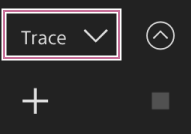
-
Select a thumbnail with the framing operation you want to rename.
The
 (Trace menu) button appears on the thumbnail.
 -
Press the (Trace menu) button.
The menu appears.
-
Select [Rename] from the displayed menu.
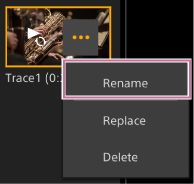
-
Enter a new preset name.
Note
- The following characters cannot be used in preset names.
" % & , : ~
- The following characters cannot be used in preset names.
